
Sanford Health
Sanford HealthMedical
4.1420.00 Reviews
- Version
- 3.20.0
- Installs
- 100.00K
- Age Rating
- Everyone
Screenshots
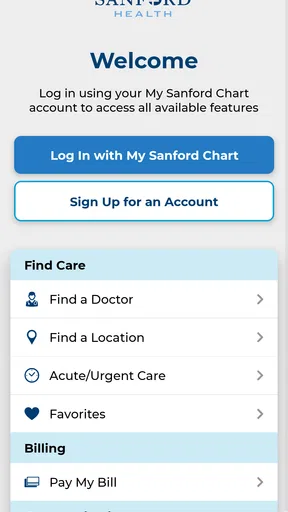
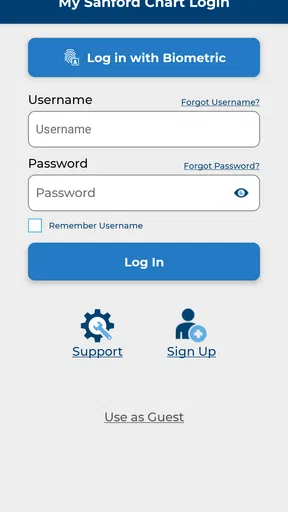
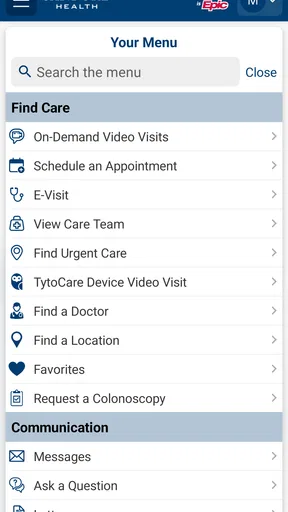
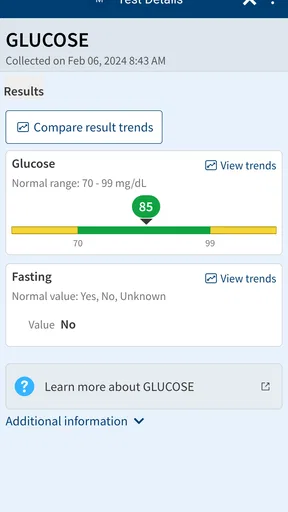
Our Review of Sanford Health
 Analysis by Appyee
When I first opened Sanford Health, I approached it as a practical medical app rather than something I would browse every day. That distinction matters. It is designed for people who already have a connection with Sanford Health and want a more convenient way to handle health-related tasks from a phone. The app is free, available to Everyone, and developed by Sanford Health, so its biggest value comes from fitting into that healthcare system rather than trying to replace a doctor, pharmacist, or emergency service.
My first impression was that the app makes the most sense when I have a specific reason to use it. A health app can feel vague if it only offers general wellness material, but Sanford Health is more useful when I am trying to move from a question to an action: checking what care options are available, preparing for an appointment, or finding the right place to begin. The best way to judge this app is by how quickly it helps with one real health task, not by how long I can spend exploring it.
What to expect before you begin
Sanford Health belongs in the medical category, and its focus is the Sanford Health experience rather than a universal health dashboard. That means first-time users should think about their relationship with the provider before installing it. If I already use Sanford Health services, the app can act as a convenient front door. If I live outside that care network or want a broad fitness tracker, medication database, or symptom checker, another type of app may suit me better.
The app has been available since April 12, 2013, and its current version is 3.20.0. That history suggests an established service rather than a short-lived experiment, while the current version shows that the app continues to be maintained. It has passed one hundred thousand installs and holds a 4.1 average from roughly one thousand four hundred ratings, with about four hundred twenty written reviews. Those figures tell me that people are using it, but they also set a sensible expectation: this is a useful provider app, not necessarily a perfect replacement for every healthcare interaction.
I would not install it expecting instant answers to complicated medical problems. An app can help me organize care and reach the appropriate service, but it cannot examine symptoms, interpret every result, or make a diagnosis responsibly. For urgent or life-threatening situations, I would use emergency services instead of waiting for a mobile workflow. For a routine need, however, the app can reduce the small bits of friction that often make healthcare feel harder than it should.
One important trade-off appears when comparing Sanford Health with general alternatives. A broad health app may collect information from many providers or concentrate on exercise, sleep, and nutrition. Sanford Health is narrower, but that narrowness can be a strength if my care is already connected to Sanford. I would rather use a provider-specific tool for provider-specific tasks than search through a generic app that cannot see or organize the same care relationship.
Who is likely to benefit most
I see the strongest fit for an existing Sanford Health patient who prefers handling simple tasks on a phone, a family member helping someone organize care, or a person who wants one recognizable starting point instead of searching the web every time. It may also help someone who feels uneasy making a first call because the app gives a more structured route into the healthcare system.
I would be more cautious if I were looking for detailed personal health analytics, an independent symptom triage service, or a tool that combines records from unrelated healthcare organizations. The app’s usefulness depends on the Sanford connection. Someone who rarely uses Sanford services may open it once, fail to find a relevant reason to return, and be better served by a general health tool or the direct website for a one-off search.
Getting through the first setup
My advice is to install Sanford Health with one immediate goal in mind. Before opening it, decide whether I am trying to prepare for care, find a service, manage an existing relationship, or simply understand where to start. This prevents the common mistake of treating a medical app like a social feed. I do not need to explore every screen before the app becomes useful; I need to identify the path connected to today’s need.
After launching, I would read each screen carefully and use the app’s own wording as a guide. Healthcare applications often separate general information from account-related actions, and confusing those areas can make a straightforward task feel more complicated. If the app asks me to identify myself or connect with Sanford Health, I would use the same personal details I normally use with that provider and avoid rushing through the process.
A useful preparation step is to have my appointment details, preferred contact information, and any relevant provider information nearby. I would not rely on memory if I am setting up access while tired or worried. Even when an app is well designed, healthcare details are easy to mistype. Taking a moment to check spelling and dates can save more time than repeatedly trying to correct an account later.
The minimum operating-system requirement is version 11. That is worth checking before troubleshooting anything else. If the app will not install or behaves unexpectedly, I would first confirm that the device meets that requirement, then make sure the operating system and app are updated. The app itself is free, but normal mobile data or device-storage considerations can still apply, so I would install it over a reliable connection if I am preparing for an appointment.
I also recommend setting up the app when I am calm rather than in the parking lot five minutes before care begins. The first setup is the wrong moment to discover that I have forgotten a login detail or that I need to verify information. A quiet setup gives me time to understand what the app is asking and to stop if something looks unfamiliar.
Finding the first meaningful result
For a first successful action, I would choose the smallest task that solves a real problem. For example, if I have an upcoming Sanford Health appointment, I would begin there rather than wandering through every available section. I would look for the appointment-related route, confirm that the details match what I expect, and then return to the main screen. That simple check gives me confidence that the app is connected to the right healthcare context.
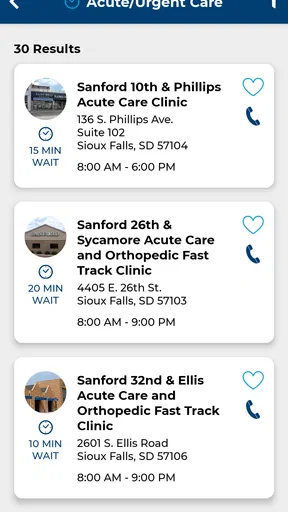
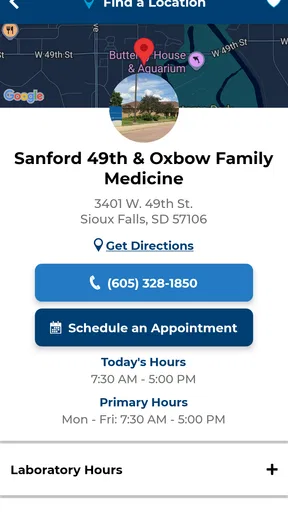
If my goal is to find care, I would start with the service or location that matches my need and narrow the choice before making a decision. I would pay attention to the difference between general information and an action that actually contacts or schedules care. This is one of the most useful habits I found: do not stop at reading a description when the real goal is to reach the correct next step.
For a family member, the first meaningful success may be different. I might use the app to prepare questions, check which Sanford Health pathway appears relevant, or organize information before calling. I would avoid assuming that my access automatically covers another person’s private health information. If the task involves someone else, I would follow the app’s account and authorization process rather than sharing credentials casually.
A realistic everyday scenario would be a parent who receives a reminder about a child’s upcoming care and realizes there is a question about where to go or what to prepare. Instead of searching random results online, the parent can open Sanford Health, use the provider-specific route as a starting point, and confirm the next action before leaving home. The app does not remove every decision, but it can make the first decision less confusing.
Another practical scenario is a patient who knows they need help but is unsure whether to begin with a routine appointment, a particular service, or a direct conversation with the care team. I would use the app to organize the question first, then choose the most appropriate available route. That is a better use of the app than repeatedly checking general medical articles that do not know my provider relationship.
Where first-time users can get confused
The biggest source of confusion is expecting every health question to have an immediate in-app answer. Medical care has boundaries, and the app may guide me toward a service rather than resolve the issue itself. If I am looking for a diagnosis, a second opinion, or interpretation of a worrying symptom, I should treat the app as a way to connect with care, not as the clinician.
Another possible stumbling block is the difference between information and access. Seeing a provider or service described does not necessarily mean that I have completed an appointment request or reached a care professional. I would look for a clear confirmation after taking an action and keep any appointment or contact details until I know the task is complete.
I would also avoid confusing convenience with immediacy. A provider app may be excellent for routine planning while being the wrong tool for a sudden medical emergency. If symptoms are severe or time-sensitive, I would seek urgent help directly. Sanford Health can support the ordinary parts of healthcare, but a phone app should never become a reason to delay emergency care.
Privacy is another area where I would slow down. A medical app deserves the same care as any other place where I handle sensitive information. I would use my own account, avoid logging in on a shared device, and sign out when appropriate. If a family member helps me, I would keep control of my credentials and use any official sharing or authorization route instead of sending screenshots or passwords.
There is also a practical limitation for people who use several healthcare systems. Sanford Health may simplify the Sanford side of my care, but it may not become a complete record of everything I do elsewhere. If I see specialists through unrelated providers, I would keep a separate list of appointments, medicines, questions, and results rather than assuming one app contains the whole picture.
Using it more effectively after the first visit
Once the initial setup is complete, I would make Sanford Health part of a simple routine. Before an appointment, I would use it to confirm the purpose of the visit and gather questions. Afterward, I would record my own notes elsewhere if I need a personal timeline, because relying on memory is risky when several instructions arrive at once. The app can be the entry point, while my own organized notes provide continuity.
One non-obvious advantage of a provider-specific app is the reduction in decision fatigue. When I search the open web for healthcare, I often get too many unrelated results, outdated pages, and generic advice. A Sanford-focused starting point can narrow the context. The trade-off is that I lose the breadth of a general health platform, so I would use Sanford Health for Sanford-related navigation and a trusted clinician for medical interpretation.
I would also use the app before I actually need it. Opening it once, checking that it works on my device, and learning where the main care pathway begins is far better than learning everything during a stressful moment. This is especially useful for older relatives or anyone who is less comfortable with mobile technology. A short practice session can reveal whether they need help with setup while there is still time to provide it.
For people who manage care for others, I would establish a clear division of responsibility. I can help with navigation, reminders, and preparing questions, but the patient should remain involved in decisions whenever possible. This avoids a common mistake in digital healthcare: treating the most technically confident person as the person who should control all medical information.
The app’s age rating of Everyone makes it broadly approachable from a content perspective, but that does not mean every medical task is suitable for every user without adult guidance. A child may be able to open an app, yet appointment details, private records, and care decisions still belong with a parent or authorized adult. I would judge access by the situation, not just by the rating label.
When another option is better
I would choose a general wellness app instead if my main goal were tracking exercise, sleep, nutrition, or long-term habits across different providers. Sanford Health is not the first tool I would reach for when I want a broad personal dashboard. Its value is more focused: helping me interact with Sanford Health in a way that is easier than starting from scratch each time.
I would choose a direct phone call when the issue is complicated, sensitive, or difficult to explain through a structured digital path. A conversation can be more efficient when several details need to be clarified at once. Likewise, I would use a clinician or pharmacist for questions that require professional judgment rather than expecting the app to supply a definitive answer.
I would also reconsider using it as my only healthcare organizer if I regularly move between providers or need a single consolidated view. In that case, a broader record-management approach may be more practical, with Sanford Health serving as one provider-specific tool among several. That is not a flaw so much as a boundary: focused tools work best when the user understands what each one covers.
My recommendation for a first-time user
My suggested path is straightforward. Install Sanford Health, confirm that the device meets the operating-system requirement, and open it with one concrete goal. Complete the basic setup carefully, choose a routine task rather than an emergency, and look for a clear result such as finding the appropriate care route or confirming appointment-related information. If the app helps with that first task, keep it available for future Sanford Health needs.
I would recommend it to people already using Sanford Health who want a more convenient starting point for routine care. The free price removes an obvious barrier, and the established user base gives it enough presence to be worth trying. Still, I would not recommend depending on it for emergency decisions, complex medical interpretation, or a complete cross-provider health record.
My overall view is positive but deliberately practical. Sanford Health is most successful when I treat it as a bridge between my phone and the Sanford Health system. It can make the first step clearer, help me prepare, and reduce unnecessary searching. It cannot replace professional care, and its provider-specific focus will not suit everyone. For the right user, though, the app’s real success is turning a vague healthcare task into one manageable next action.
Verdict
Strengths of Sanford Health
- Easy access to appointments, test results, and medical records.
- Secure messaging makes contacting care teams convenient.
- Find nearby Sanford Health locations and providers quickly.
- Prescription refill requests can be submitted from the app.
- Health information is available across supported mobile devices.
Limitations of Sanford Health
- Some features require an active Sanford Health patient account.
- Appointment availability depends on your location and provider.
- Certain services may redirect you to external web pages.
- Notifications may be easy to miss without proper device settings.
- The app is most useful for patients within the Sanford Health network.
Similar Picks in This Category
View All
WebMD: Symptom Checker
WebMD, LLC4.1

Microphone Amplifier
DOSA Apps4.2

Anatomy Learning - 3D Anatomy
3D Medical OU4.5

Period Tracker and Calendar
SimpleInnovation4.9

GoodRx: Prescription Coupons
GoodRx4.8

CVS Health
CVS Pharmacy4.5
Frequently Asked Questions
What is the Sanford Health app used for?
The Sanford Health app is designed to help patients manage many healthcare tasks from a mobile device. After signing in, users may be able to schedule or review appointments, access parts of their medical records, communicate with care teams, view test results, request prescription refills, check bills, and find Sanford Health locations. Available features can vary by patient, region, and account permissions.
Do I need a Sanford Health account to use the app?
Most personal healthcare features require a Sanford Health patient account, commonly connected with the organization’s online patient portal. You may be able to download and open the app without an account, but access to medical records, secure messaging, appointments, and billing information generally requires registration and identity verification. Parents, guardians, and authorized caregivers may need separate proxy access.
Can I use Sanford Health to schedule appointments and contact my provider?
The app may allow eligible patients to request or schedule certain appointments, review upcoming visits, and communicate securely with a Sanford Health care team. However, appointment types, providers, and messaging options can differ depending on your location, insurance, specialty, and existing relationship with the clinic. For urgent symptoms, do not wait for an app response; contact emergency services or an appropriate medical professional.
Can I view test results, prescriptions, and medical records in Sanford Health?
Depending on your account and the information released by your care team, the app can provide access to items such as laboratory results, visit summaries, medications, immunizations, allergies, and other portions of your electronic health record. Results may not appear immediately, and some information can require clinician review. The app should support healthcare decisions, but it is not a substitute for professional medical advice.
Is the Sanford Health app free, and is my health information secure?
Downloading the Sanford Health app is generally free, although healthcare visits, treatments, prescriptions, and other services may still involve charges based on your insurance and provider. The app uses account authentication and security measures intended to protect personal health information, but users should still enable device security, avoid sharing passwords, and log out of shared devices. Always download the official app from a trusted app store.
